Put a strip of C-41 negatives on a light box and the thing you see is orange. The tones are reversed, light subjects dense, shadows nearly clear, and because of that orange cast even a well-exposed frame is hard to read. The guidelines U.S. federal agencies have written for digitizing their collections describe the problem: “It is impossible to visualize the correct color of a color negative.”¹
Most scanning deals with that imbalance introduced by the mask built into the film later, in software that inverts the image and pulls the colors back into balance. Under white light, red passes through the film easily while blue and green are held back, so the sensor receives three very unequal signals, and an exposure generous enough for the blue risks clipping the red. But a light made of separate red, green and blue elements allows another approach: to balance the colors in the light itself. The idea has a history in dedicated film scanners, and the idea has recently been rediscovered in LED panels for scanning negatives with a digital camera.
The Coolscan’s three colors
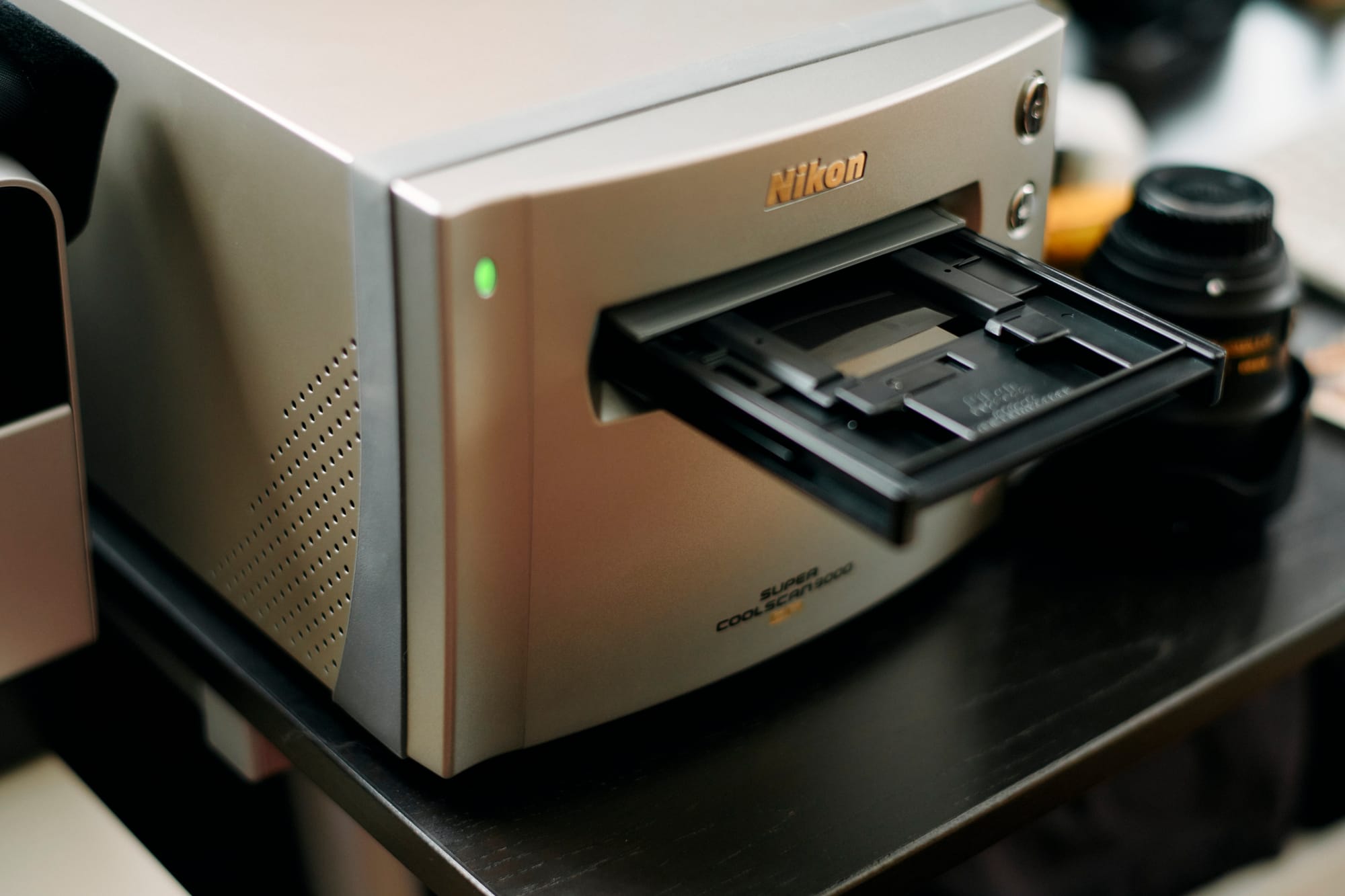
Nikon built RGB light into its Coolscan scanners. The Coolscan III illuminated the film with red, green and blue LEDs and read it with a monochrome sensor, switching colors line by line; for the Super Coolscan 9000 ED, Nikon’s specification sheet lists color separation as “Performed by RGB LEDs.”² Nikon’s stated case for LEDs was largely practical. Its 2004 brochure set them against the halogen and fluorescent lamps of competitors, which “require time to warm up and the heat they generate can cause damage to film,” and added that LED illumination “assures stability in color characteristics.”³
The design had a consequence Nikon’s brochure does not dwell on. A monochrome sensor has no color filters, so it cannot tell red from blue on its own. In a Coolscan the sensor moved across the frame, each line of the image was read under red, then green, then blue, and the scanner assembled the three readings into color. Every pixel was measured in all three colors. A study of archival film scanners at the University of Zurich puts the advantage plainly: “Considering equal pixel sizes, ‘true RGB’ is by definition a more accurate color measurement” than color built up by interpolation between neighboring filtered pixels.⁴
Not every scanner maker took this route. Minolta’s DiMAGE Scan Dual IV and Scan Elite 5400, contemporaries of the later Coolscans, used a “3-wave, cold-cathode fluorescent lamp” and an “RGB 3-LINE CCD”: white light, with color separated by filters on three rows of the sensor.⁵ When Konica Minolta changed the Elite 5400 II to an LED in 2005, it was a white one. Imacon’s Flextight scanners likewise used fluorescent illumination with a three-line color CCD, an approach Hasselblad retained in the later Flextight X1 and X5.⁶
Separate colored LEDs also gave Nikon another way to control the scan. Nikon Scan’s Analog Gain feature adjusted the exposure of the red, green, and blue LEDs independently, by up to two stops in either direction.
Consider the orange mask of Kodak Portra 400. Kodak’s published curves show that it absorbs considerably more blue and green light than red.⁷ The difference is roughly two stops. Under the same illumination, only about a quarter as much blue and green light passes through the unexposed film as red. Nikon’s scanner could compensate by increasing the exposure for those colors, allowing each to make better use of the sensor’s available range.
With a conventional white light source, that adjustment must generally be made after capture, in software. As researchers at the University of Zurich explain, this means that “only the most exposed channel makes the best use of the sensor’s dynamic range, resulting in an image with a reduced wealth of colors.”⁸

RGB illumination has also found a place in professional motion-picture scanning. The ARRISCAN, Lasergraphics Director, and DFT Scanity (with some variation) flash red, green and blue LEDs in turn onto a monochrome sensor, frame by frame. By selecting wavelengths that correspond more closely to the film’s dyes, these systems can distinguish the color records more effectively. DFT describes this as tailoring the light to the absorption characteristics of the film.⁹ The approach is well established in an industry where preserving the information on the original negative is essential.
RGB scanning comes to the desktop
For years, photographers scanning film at home have had two main options: a dedicated film scanner or a digital camera positioned above a light source. Camera scanning has become increasingly attractive because it makes use of equipment many photographers already own, but the illumination has traditionally been provided by a white LED panel. A new generation of products is bringing the independently controlled RGB illumination of professional scanners to this setup.
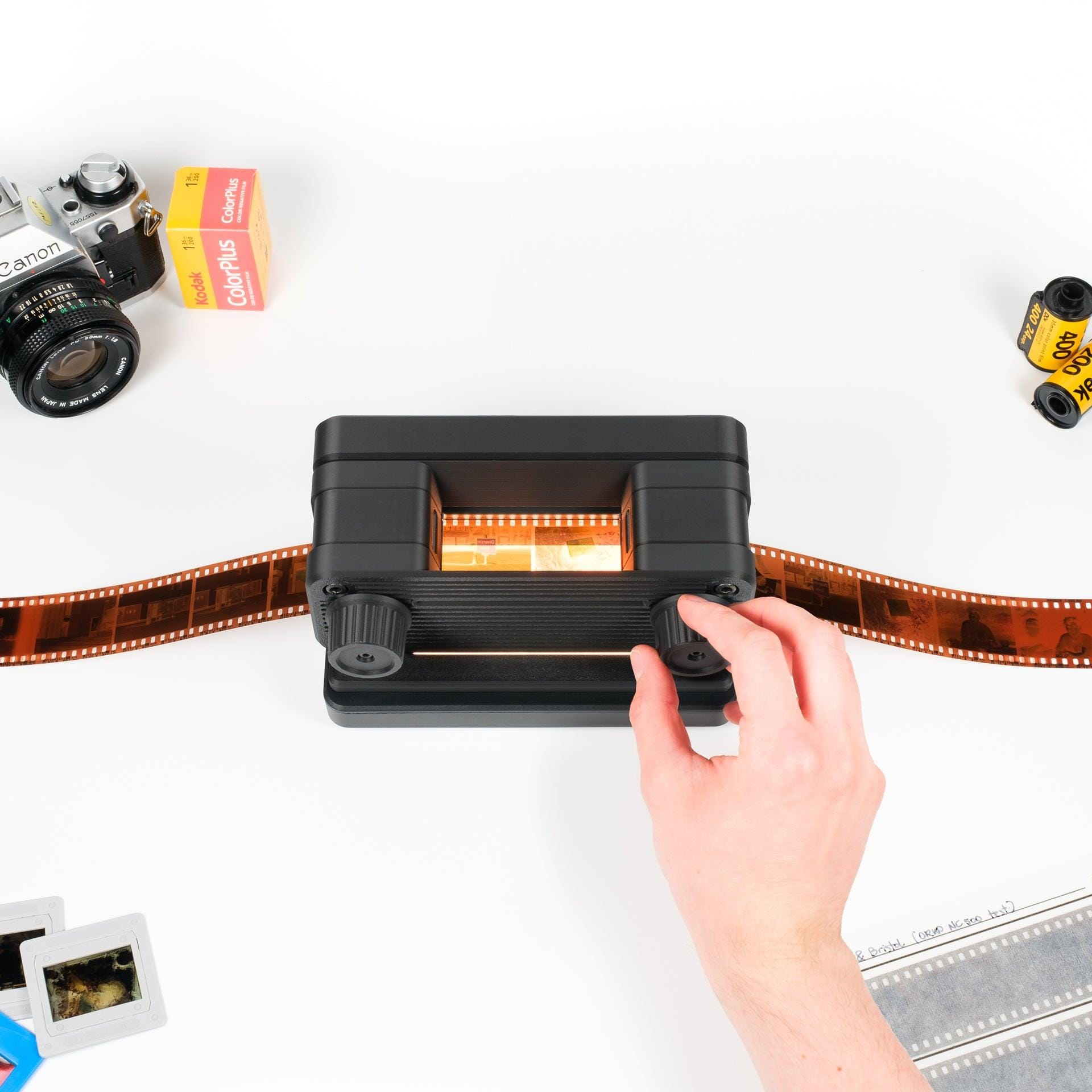
One of these is Tone Photographic’s toneLight, part of the company’s forthcoming toneScan system. Instead of illuminating the negative with white light, the panel uses separate red, green, and blue LEDs, selected to correspond more closely to the film’s dyes. The system takes three photographs of each frame, one under each color, and combines them in software. It can also adjust the illumination for each color to make better use of the camera sensor’s available range, much as Nikon’s Analog Gain did in its Coolscan scanners.
There is an important difference, however. The Coolscan used a monochrome sensor, while most digital cameras use sensors covered with red, green, and blue filters. These filters overlap in their sensitivity, and each exposure records only a portion of the sensor’s pixels for the corresponding color. Tone acknowledges that this approach sacrifices some resolution.¹⁰ Taking three exposures also requires the camera and film to remain stationary to prevent color misalignment.
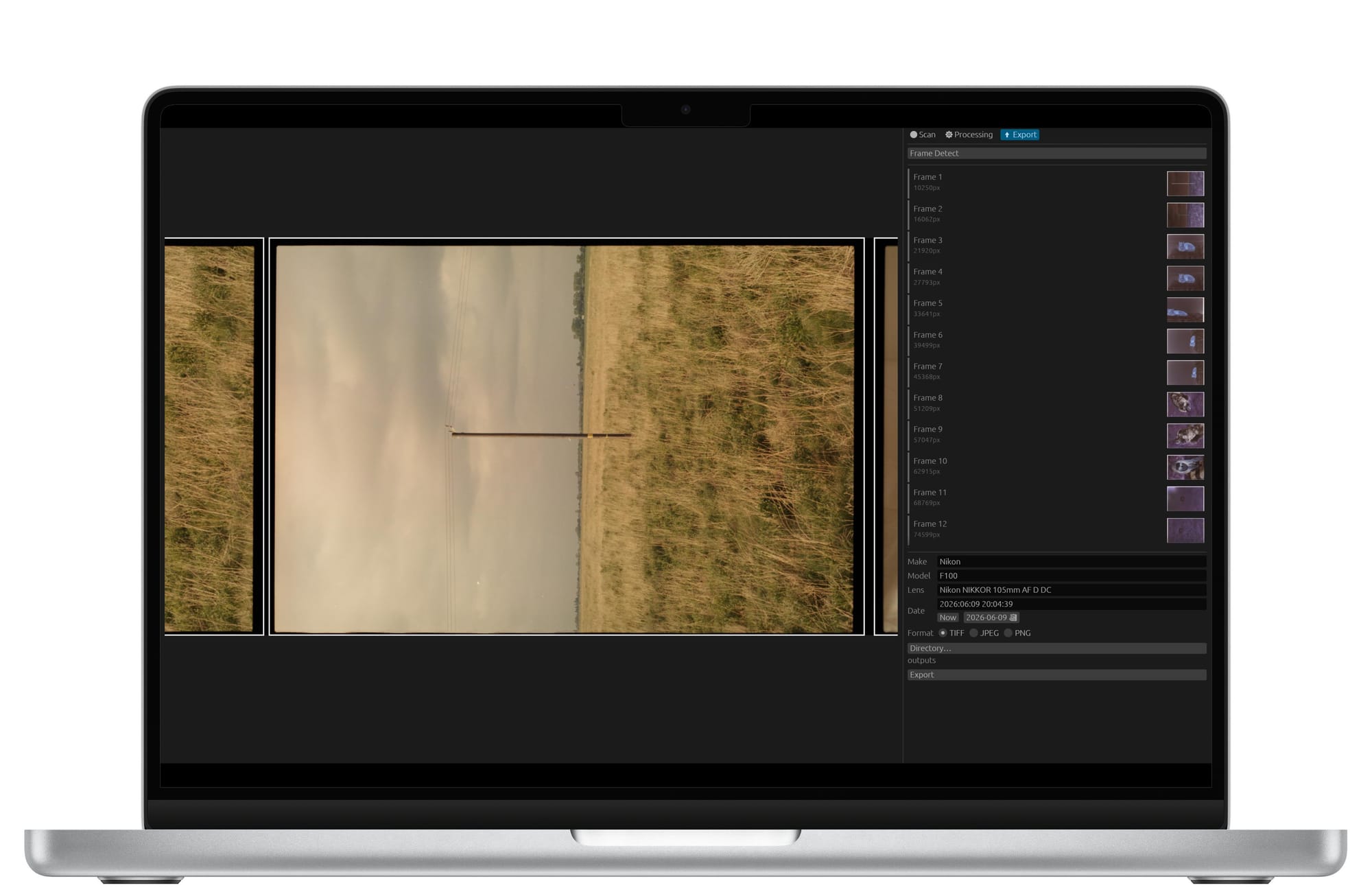
A second product, Soke Engineering’s Knokke, takes a different approach. Rather than supplying a light panel for an existing camera, Knokke is a complete 35mm film scanner. Like the professional motion-picture scanners, it exposes each frame separately under red, green, and blue illumination, allowing every pixel to record each color without relying on the interpolation used by conventional color camera sensors.
Although their designs draw on established principles, and their actual performance remains to be demonstrated independently, together these products represent two approaches to making sequential RGB scanning available to individual photographers. Tone Photographic adapts the method to camera scanning, using a programmable light source and software to control the three exposures. Soke Engineering integrates the illumination, sensor, and film transport into a dedicated scanner. Both apply an established scanning technique to equipment designed for use outside professional scanning facilities.
Does RGB illumination produce better color?
Separating the three dye layers of a color negative is one thing. Producing an accurate color image from them is another. Narrowband illumination can help the scanner distinguish the dyes, but does that mean the resulting photograph will have better color?
Researchers investigating archival film scanning found that narrowband illumination could produce exaggerated colors. In one experiment, a scanned color target appeared oversaturated compared with its measured appearance. Software correction improved the result, but a more sophisticated system using ten spectral bands performed better.¹¹ Other research found that conventional white illumination, combined with careful color management, could also reproduce colors accurately.¹²
Color negatives present an additional difficulty. Unlike slides, they were never intended to be viewed directly. Their colors were designed to be interpreted through photographic printing materials. A scan therefore requires decisions about how the negative should appear as a positive image, much as a darkroom printer would make decisions about color and contrast. Both Tone and Soke address this through software intended to reproduce aspects of traditional photographic printing.
RGB illumination is a proven approach to film scanning. It served photographers for years in dedicated scanners such as Nikon’s Coolscan and remains an important part of professional motion-picture scanning. Its ability to control exposure and separate the film’s color records is well established, but testing is still needed to decide if the improvement represented by these products is worth the additional cost and effort.
Notes
[^1]: Federal Agencies Digital Guidelines Initiative (FADGI), Still Image Working Group, Technical Guidelines for Digitizing Cultural Heritage Materials, 3rd ed. (May 2023), 62.
[^2]: Nikon Corporation, “SUPER COOLSCAN 9000 ED: Specifications,” Nikon Imaging Products: Product Archive (April 2005), archived September 27, 2021. Manufacturer documentation.
[^3]: Nikon Corporation, Nikon Coolscan: Super Coolscan 9000 ED, 5000ED (brochure, 2004), 2–3, archived March 12, 2005. Manufacturer documentation.
[^4]: Barbara Flueckiger, David Pfluger, Giorgio Trumpy, Simone Croci, Tunç Aydın, and Aljoscha Smolic, Investigation of Film Material–Scanner Interaction, version 1.1 (Zurich: DIASTOR, University of Zurich, February 18, 2018), 17.
[^5]: Konica Minolta Camera, Inc., DiMAGE Scan Dual IV (brochure, 2003), specifications; Minolta Co., Ltd., DiMAGE Scan Elite 5400 (brochure, 2003), specifications. Manufacturer documentation; both copies are hosted by third parties.
[^6]: Imacon, Flextight Photo User’s Guide (2000), 16–18, “The Light Tube” and “Technical Specifications” (“Lamp type OSRAM L 6W/12-950 Lumilux De Luxe Daylight (5400K)”) (copy hosted by a repair service); Imacon, “Flextight Photo Product Specifications” (“CCD Single pass (3x8000 pixels)”), archived October 10, 1999; Hasselblad, Flextight X1/X5 User Manual, v1.5, 14, “The light tubes”; Hasselblad, Flextight X1/X5 Technical Specifications (datasheet, UK v4, 2011) (“Optical sensor: CCD (3 x 8000)”). Manufacturer documentation.
[^7]: Kodak Alaris, Kodak Professional Portra 400 Film, Technical Data, Kodak Publication No. E-4050 (Rochester, NY: Kodak Alaris, revised January 2025), 4, “Spectral-Dye-Density Curves” (copy hosted by Freestyle Photo). The two-stop figure is a Grainpress calculation from an approximate reading of the minimum-density curve.
[^8]: Flueckiger et al., Investigation of Film Material–Scanner Interaction, 16.
[^9]: DFT, Scanity White Paper, 7–8, as quoted in Flueckiger et al., Investigation of Film Material–Scanner Interaction, 28. Manufacturer documentation; the white paper itself was not consulted.
[^10]: Tone Photographic, “toneScan System,” product page (FAQ), accessed October 24, 2026. Manufacturer documentation.
[^11]: Giorgio Trumpy, Jon Y. Hardeberg, Sony George, and Barbara Flueckiger, “A Multispectral Design for a New Generation of Film Scanners,” in Optics for Arts, Architecture, and Archaeology VIII, Proceedings of SPIE 11784 (2021), 117840Z-4, -7, -8.
[^12]: Flueckiger et al., Investigation of Film Material–Scanner Interaction, 14.
GP